Lesson 3 of 6
Keep the site online
In the DNS lesson, the browser found the site's public address. Traffic has grown, so that address now leads to a load balancer in front of three Trail Notes servers. The browser still sends GET /guide over HTTPS.
- Browser
- Load balancer
- Server A, B, or C
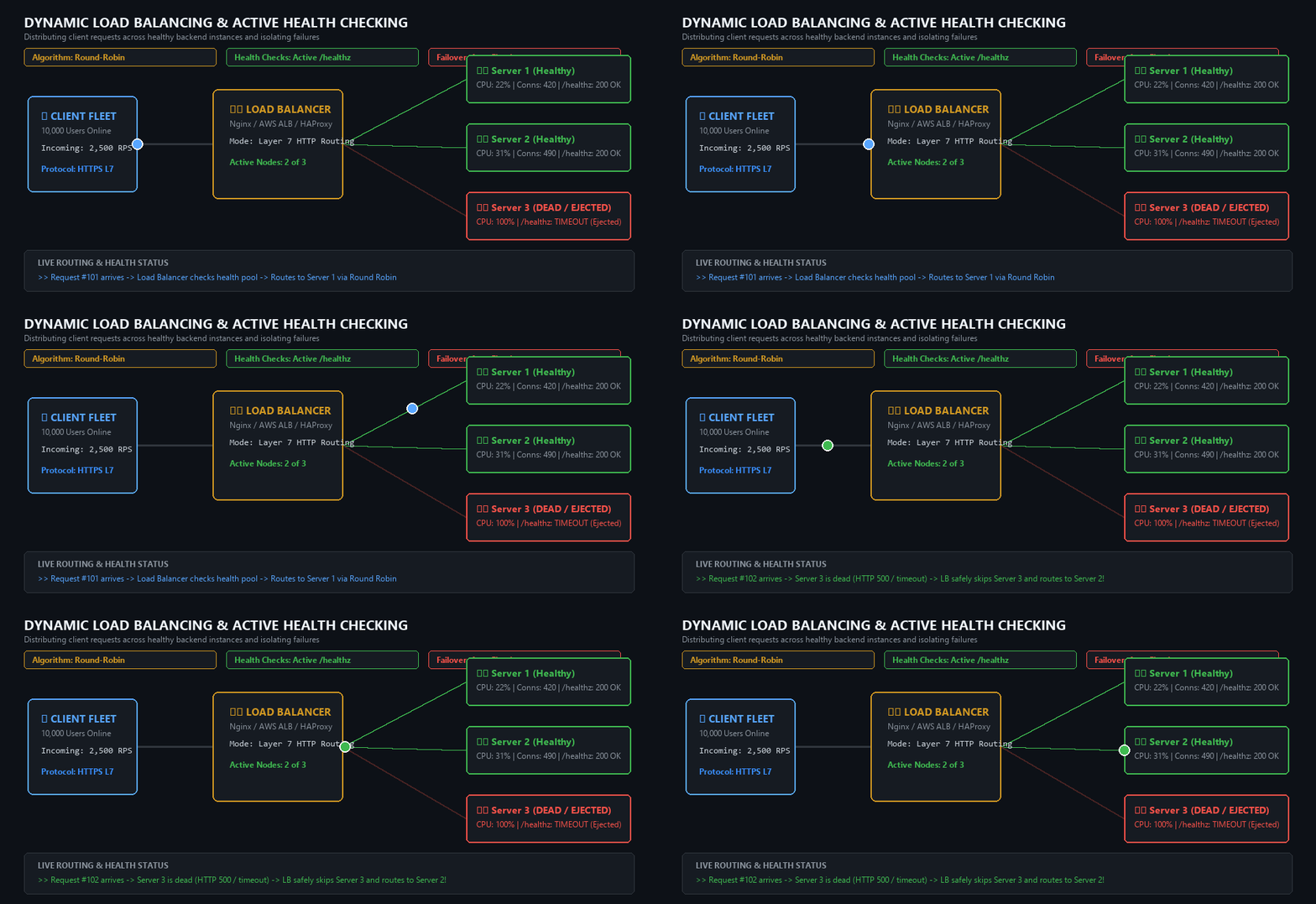
The routing animation follows a request from a client through the load balancer to a healthy server. Text walkthrough. The browser sends a request to the public endpoint. The load balancer chooses an eligible server and forwards it. That server returns the page through the load balancer. If a health check marks a server unavailable, new requests go to other servers. Requests already sent to the failed server may still fail. The animation illustrates routing. Use the separate workload below for the calculation.
Predict. Each server can sustain 900 requests per second for this mix of work. The site receives a steady 2,000 requests per second. Once Server C is out of rotation, can the remaining servers keep up? Assume traffic is spread evenly and the backends are the capacity limit.
Reveal the answer
Before the failure, capacity is 3 × 900 = 2,700 requests per second. After it, capacity is 2 × 900 = 1,800 requests per second. Surviving servers receive about 1,000 requests per second each, or 100 above each server's limit. Rerouting preserves a route for new requests, but there is still a 200-request-per-second shortfall.
Choose a response
Which option fits a sustained outage? Which could absorb a two-second traffic burst?
Compare the trade-offs
| Option | When it helps | Cost or limit |
|---|---|---|
| Run spare capacity | A failure can last longer than a brief spike. A fourth server leaves 2,700 requests per second after one fails in this model. | The spare capacity costs money while healthy. Check whether databases and shared services can handle the traffic too. |
| Shed low-priority traffic | Protect essential reads by rejecting or deferring at least 200 requests per second of optional work in this simplified workload. | Some users lose a feature or get a retryable error. Retries must be bounded so they do not add to the overload. |
| Use a bounded queue | A two-second burst at 200 requests per second over capacity builds up about 400 requests. The queue can drain if arrival rates later fall below capacity. | Pending work adds latency and can expire. During a sustained 200-request-per-second shortfall, the queue keeps growing until its limit. |
Final exercise · Trace a request through a failure
Draw the path from a new browser tab to the guide HTML. Include DNS, connection setup, the load balancer, and one backend. Then cross out Server C and answer these questions before revealing the walkthrough.
- Does a browser with a valid cached DNS answer need a new DNS lookup?
- What can happen to a request already running on Server C, and what happens to new requests after the balancer detects the failure?
- What is the remaining capacity, and how would you handle the shortfall if the outage lasts ten minutes?
Reveal the walkthrough
On a cache miss the browser asks its resolver for the public address, then connects to the load balancer. With a valid cached answer it can go straight to the connection. The balancer sends GET /guide to a backend, and the backend returns the HTML through the balancer. Server C's in-flight work may fail. After failure detection, the balancer sends new work to A and B. They can serve 1,800 requests per second, so steady demand exceeds capacity by 200 per second. Bring spare capacity online if available. In the meantime, protect the guide request by shedding enough optional work to stay within capacity.